AWL – Mandatory Internet Speed Test Instructions
Follow these steps exactly to move forward.
Run the Speed Test
- Go to: https://awl.com/speedtest/
- Use a desktop or laptop only (no phones or tablets).
- Hardwire with an Ethernet cable (Wi-Fi OFF, VPN OFF).
- Run the test using the nPerf widget on the page.
Internet Requirements
- Download: 50 Mbps or higher
- Upload: 10 Mbps or higher
- ISP must match what you listed on your application.
Submit Your Results
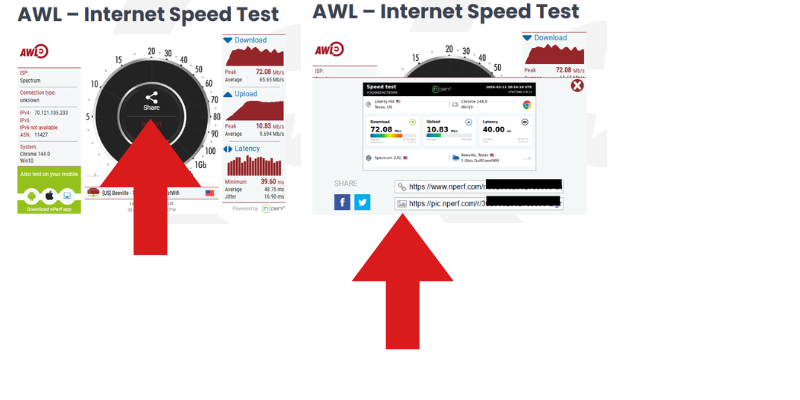
- When the test finishes, click “Share.”
- Submit the following:
- A screenshot/photo of the results using the share link
If submitting a screenshot/photo, it must show:
- nPerf results
- Ethernet (hardwired) icon
- Current date and time
Send Your Results
- Upload using the provided link OR email :
- Contact Center Applicants: [email protected]
- Insurance Sales Applicants: [email protected]
❌ No CSV files
❌ No third-party speed test links